




Abby Habits
Start small.
Keep going.
A habit tracker that’s kind about missed days.
Meet Abby, the little glass buddy who fills with the colour of each habit you do. Start with one tiny step, hold to check in, and make room for real life.

iOS 26 or later. Pro required. See how Pro works.
One small action. A moment that already exists. A little celebration.
Designed by a certified Master Health Coach.
Give your habit a home.
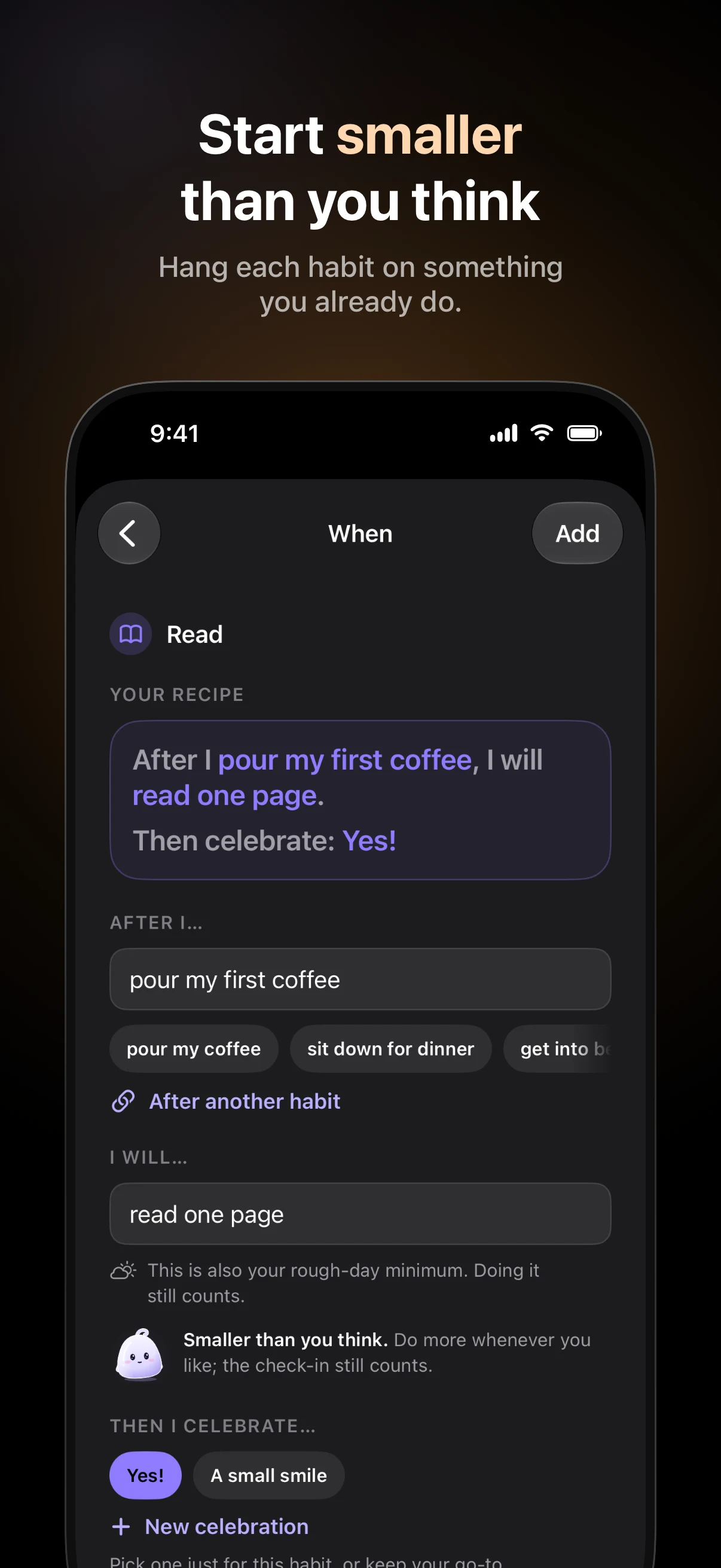
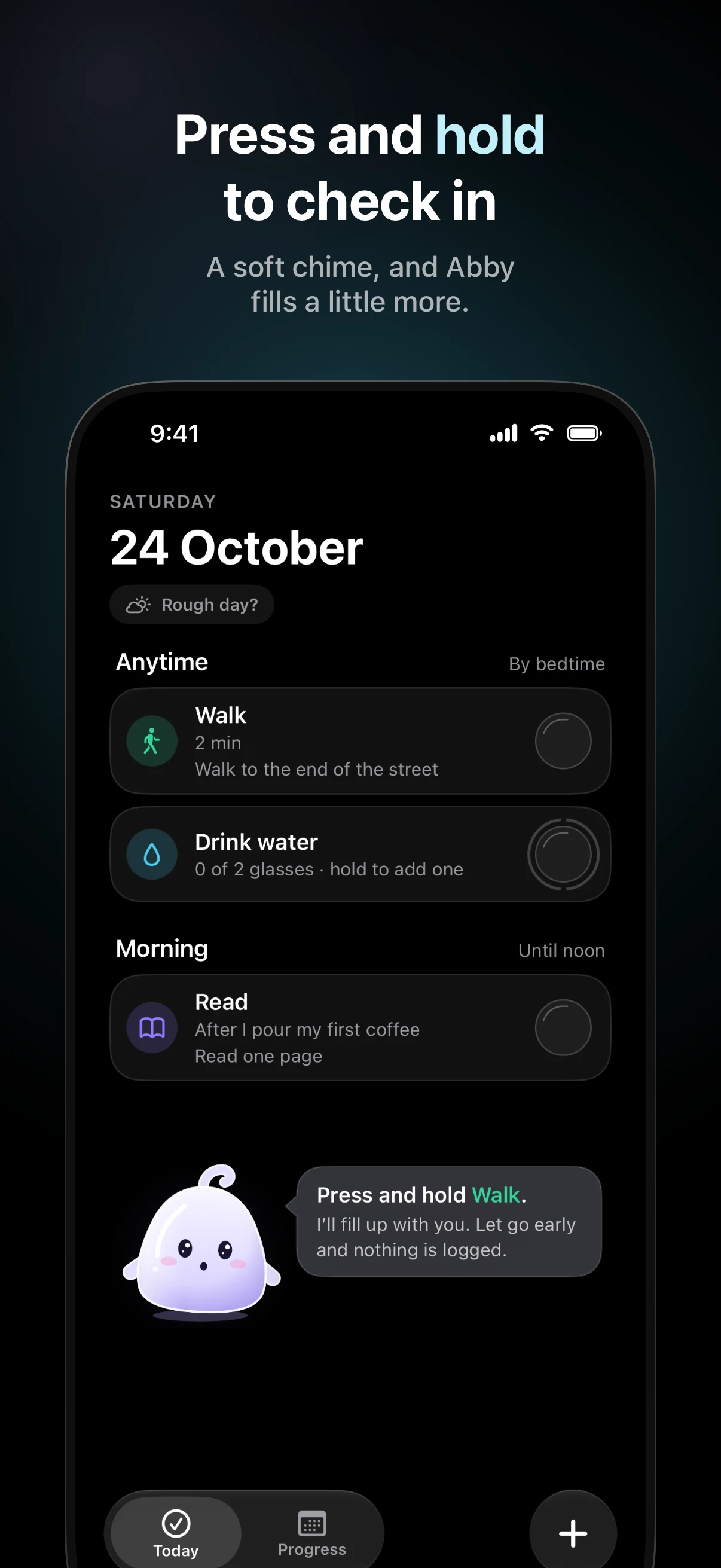
“After I pour my first coffee, I will read one page.” Pick a starter or make your own. Tie it to something you already do, then celebrate straight away with a smile, a “Yes!” or a fist pump.
Choose every day, set weekdays or a number of days a week. Track an action once, a count or an amount, such as glasses of water or minutes of reading.
Some days, smaller is enough.
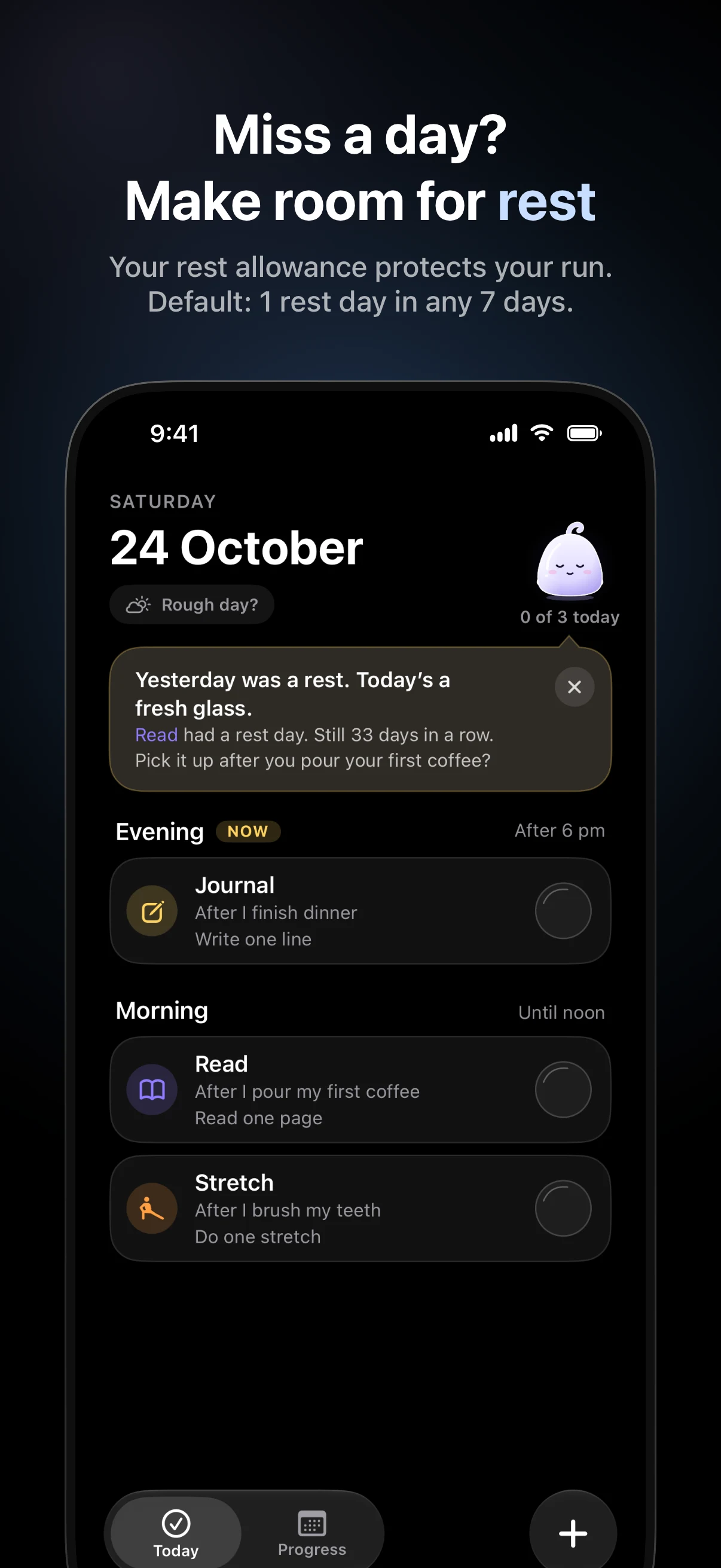
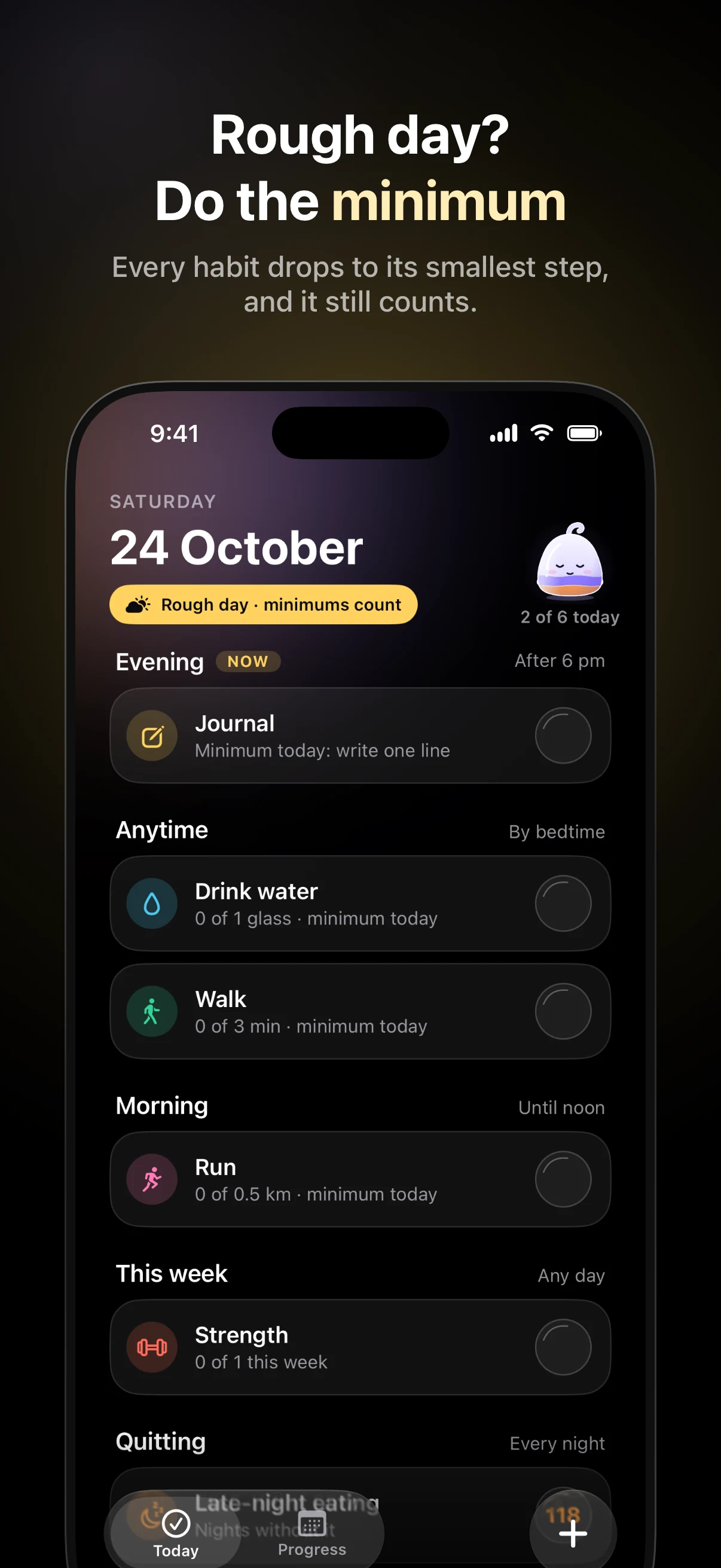
Tap Rough day? and your habits drop to their minimum for the day. That smaller step still counts. When a habit feels steady, Abby can offer a step up; after a hard week, a smaller goal. You choose.
There’s room for rest, too: one day in any rolling seven days by default, adjustable in Settings. Beyond your allowance, a current run can end. Your earlier check-ins stay in your history.
Little steps, in full colour.
From your first habit to a year of showing up. Select any screenshot for a closer look.
Build a habit. Or leave one behind.
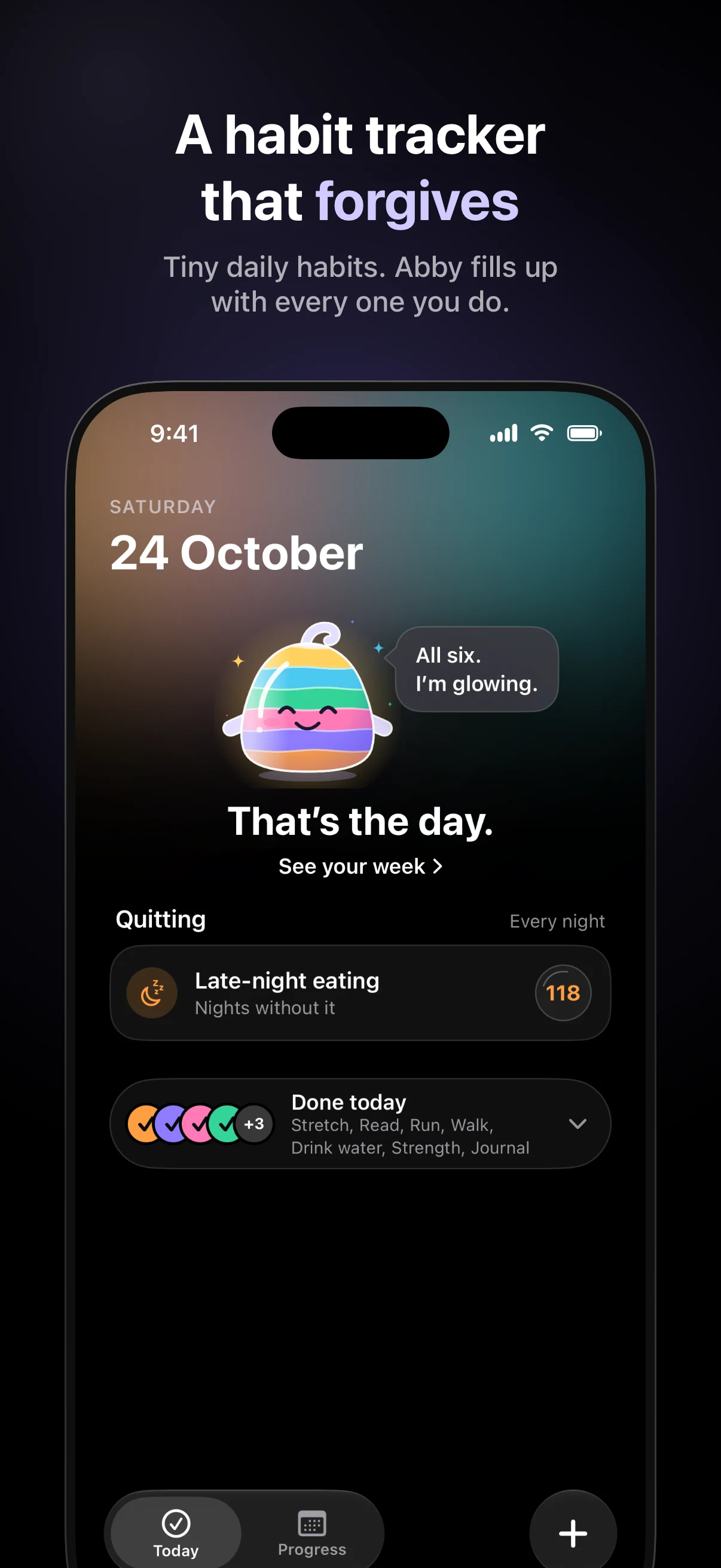
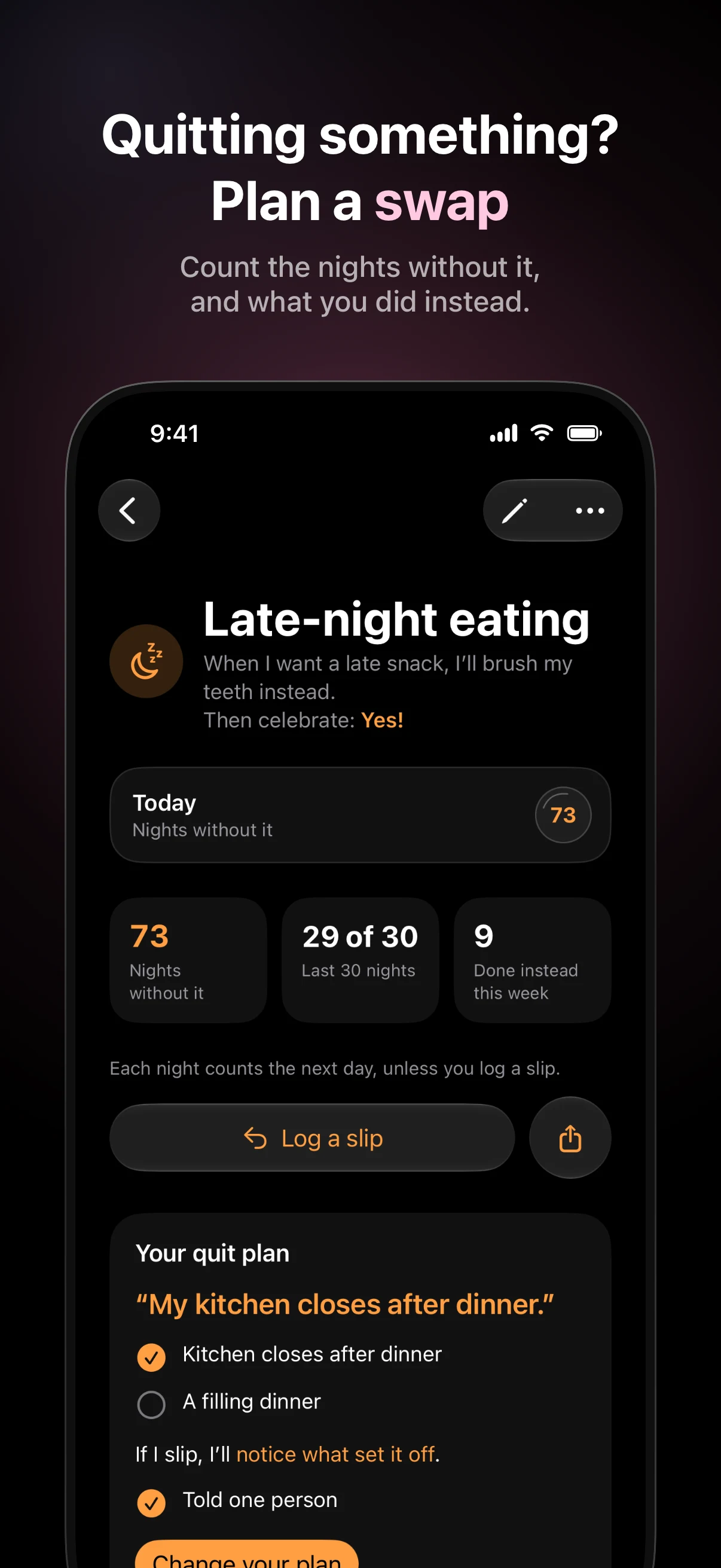
Want to change late-night eating or endless scrolling? Plan a small swap for the moment the urge appears. Count the days or nights without it, log a slip, and see what that slip means for your count before you save.
Keep a habit private to leave it off your Watch, widgets, Control Center and Siri. If you share your quit progress, you can leave the habit’s name off the card. Your plan, notes and slip dates stay off it.
Watch the small things add up.
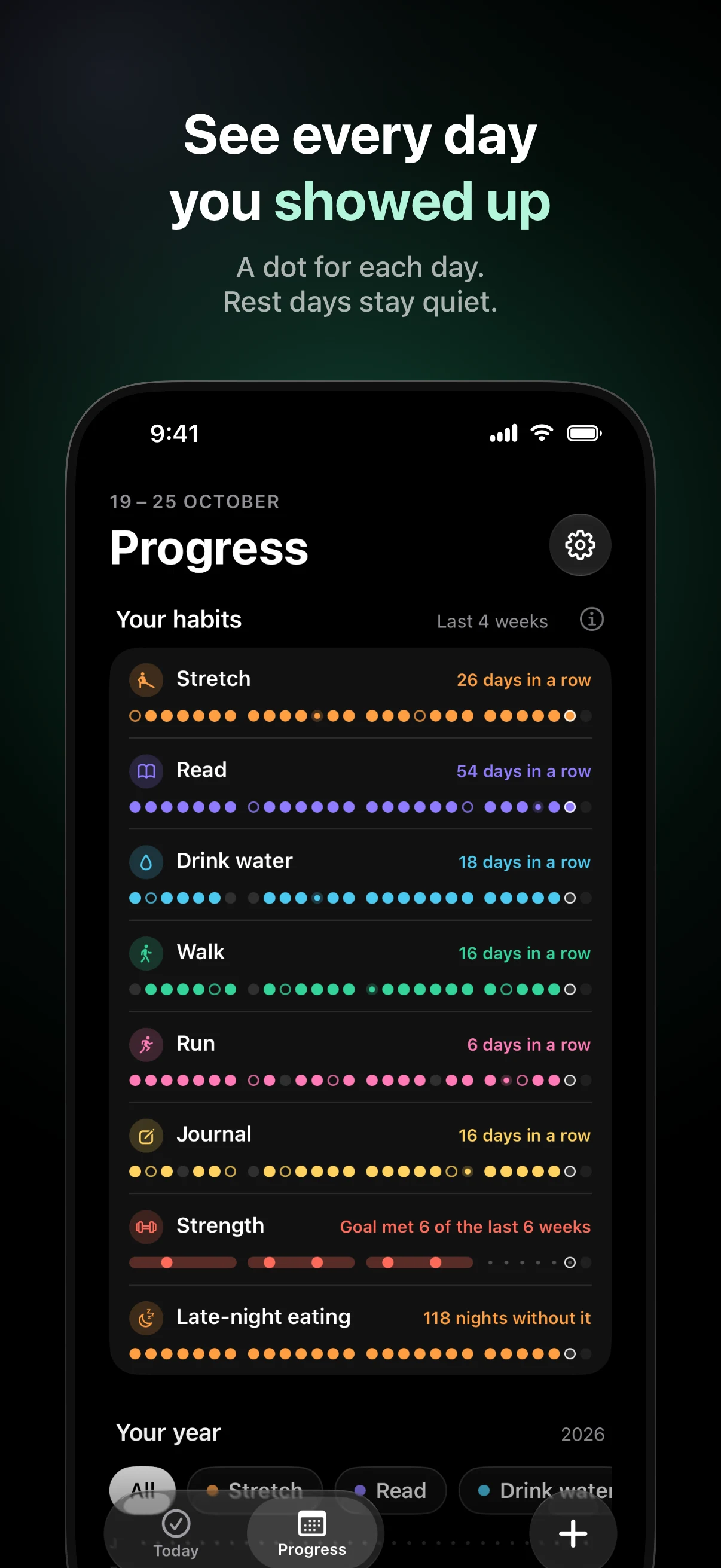
A 12-week grid for each habit. Your whole year in coloured dots. A card or a short year replay video to share when you feel like it.
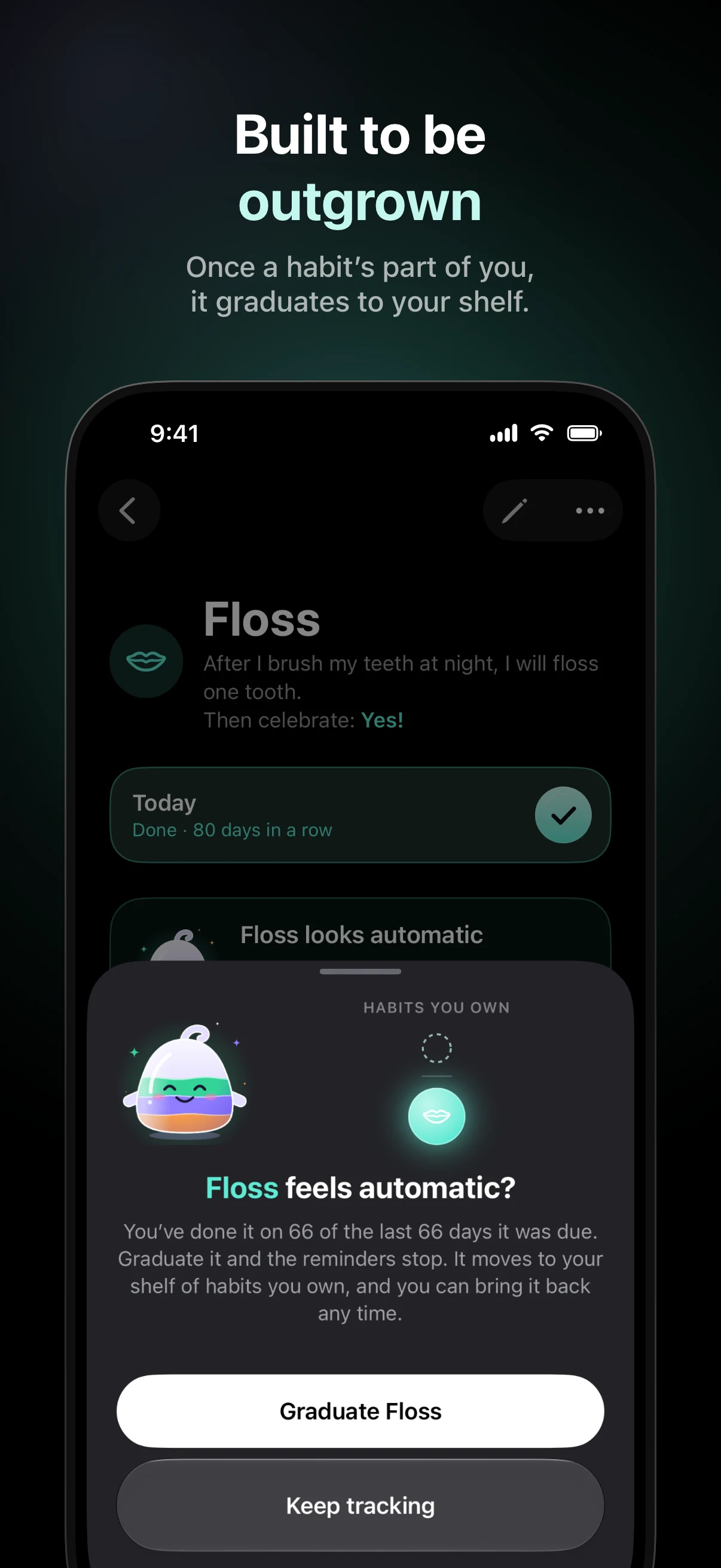
Once a habit is steady, Abby offers to graduate it to your shelf. You keep its history and make room on Today for whatever comes next.
A check-in within reach.
Hold to check in from your Apple Watch. See your day on Home Screen, Lock Screen and StandBy widgets, or use Siri, Shortcuts, Control Center and the Action button.
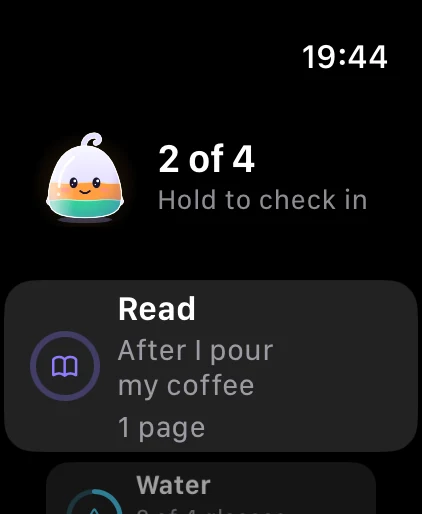
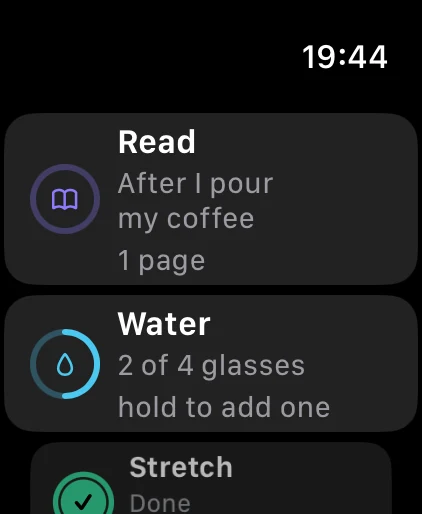
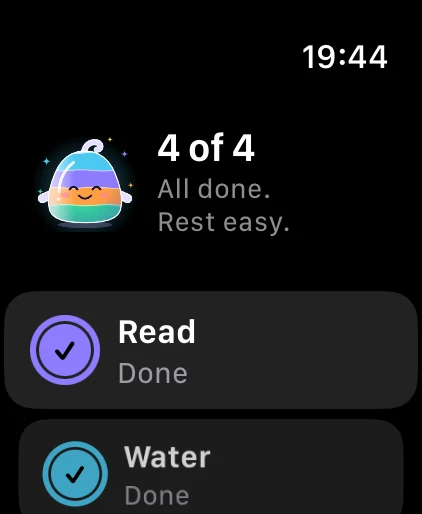
Apple Watch is optional and requires watchOS 26 or later. VoiceOver, larger text and Reduce Motion are supported.
A little help from Apple Health.
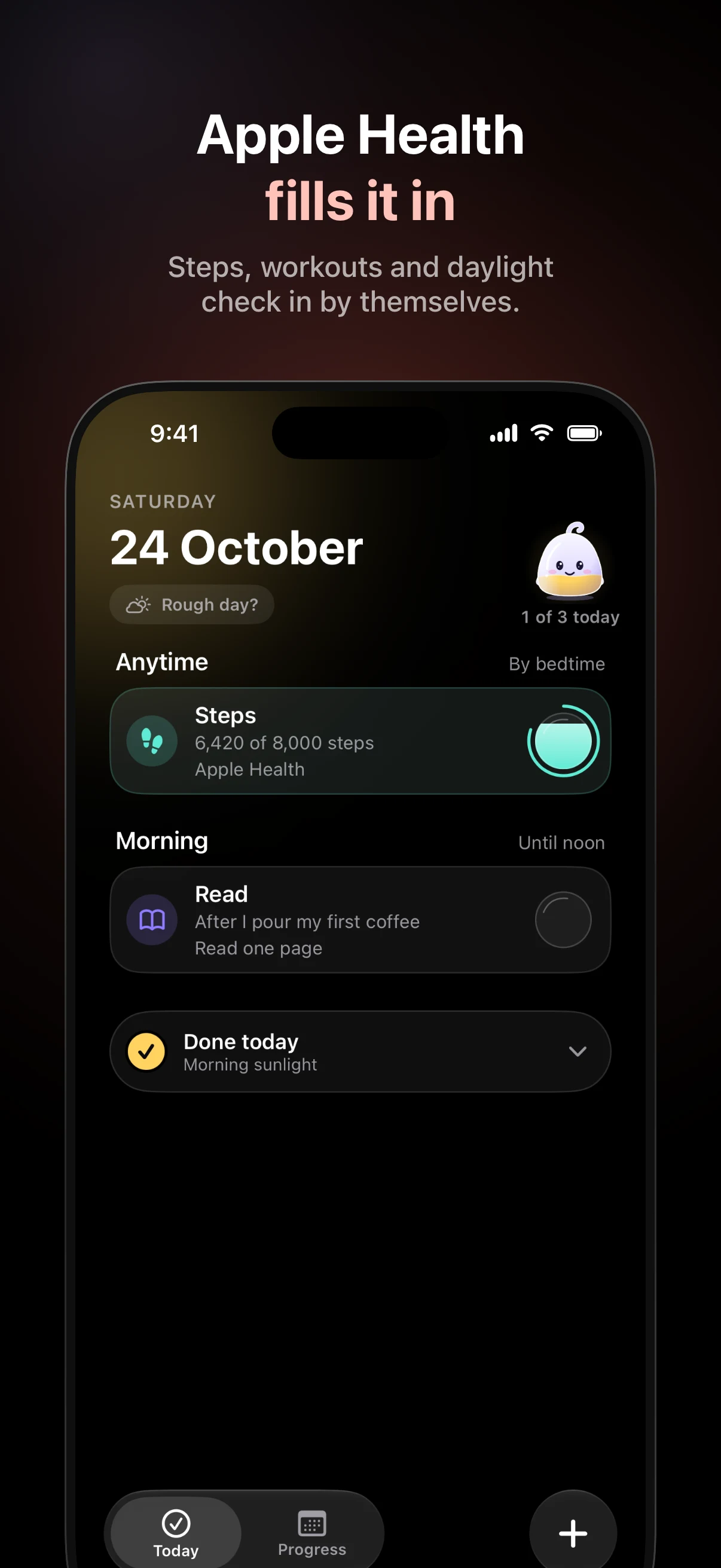
With your permission, Apple Health can fill in steps, time in daylight, exercise minutes, mindful minutes, running and strength workouts for the habits you choose. Daylight and exercise minutes need an Apple Watch.
Apple Health is optional and read-only. Settings → Apple Health explains what Abby can read and how to change access. Raw Health values are read fresh and never saved; only whether a habit’s goal was met can sync.
Your habits, in your own iCloud.
No app account and no in-app ads. Your habits and history stay on your devices and in your private iCloud. Daily backups and a deliberate export give you ways to keep a copy.
Limited pseudonymous data supports purchases, usage analytics and measurement of Abby’s own Apple Ads campaigns. Bug reports and feedback are sent when you choose. Read the privacy policy.
Start with a little room to try.
Abby Habits Pro includes all features and unlimited habits. Current plans, prices and any free trial are shown in the App Store and in the app before you buy.
Restore using the Apple Account you bought with, or manage subscriptions in your Apple Account settings. If Pro ends, your existing habits and history remain readable.
Get Abby Habits on the App Store →
For iPhone with iOS 26 or later. Support · Terms of Use
Website measurement
I count clicks on download links for my apps to understand which pages help people find the app. Each event contains only a fixed campaign name; Cloudflare adds the event time. This counter sets no cookies and stores no IP address, referrer, device identifier or personal content. Counts are best effort and may be sampled. They are not unique people or installs. The browser’s Do Not Track and Global Privacy Control signals disable these click events. Cloudflare also processes requests to host and protect this website. Separate Cloudflare Web Analytics excludes EU visitors. Cloudflare privacy information.