




4 white noise apps for iPhone: find a sound that fits
For adjustable noise and your own familiar recordings, NOYZ is my pick. For a built-in starting point, try Apple Background Sounds. Dark Noise suits layered soundscapes, while TMSOFT’s White Noise offers a recording and sound-library approach.
I’m Paul Calver, NOYZ’s developer. This is an owned comparison of documented features, not a hands-on ranking or a promise of better sleep. Start with the sound and controls you enjoy using.
The shortlist
| Option | Best for | Worth knowing |
|---|---|---|
| NOYZ | Shaping noise and playing your own audio | iOS 26 or later; Pro required |
| Apple Background Sounds | Trying what your iPhone already offers | Settings and available controls depend on iOS |
| Dark Noise | Combining ambient sounds | Check its current free and Pro options |
| White Noise by TMSOFT | Recordings and an expandable library | Lite and paid editions have different features |
1. NOYZ: make the sound your own
Best for: Someone who likes a fan’s hum or a particular colour of noise, but wants to adjust how it sounds.
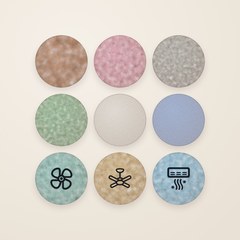
Standout: NOYZ offers white, pink, brown, green, blue and grey noise, plus fans, air conditioner and airplane cabin sounds. Adjust depth, softness and tone, blend a second noise colour, then save a shaped sound. You can also import a recording from Files, trim it and build a recording playlist. A sleep timer fades playback out; Focus gives you a timed work session.
Worth knowing: Pro is needed after the short samples. Choose Yearly with an introductory first month, or Lifetime. Both include Family Sharing. There are no in-app ads or accounts; support explains access and restoration.
2. Apple Background Sounds: begin with the built-in option
Best for: Trying ambient sound before installing another app.
Standout: Apple’s guide describes built-in background sounds and, on iOS 26, equaliser and timer controls.
Worth knowing: Your iOS version determines which controls appear. This may already cover a straightforward background-sound routine. Try it before deciding that you need a separate product.
3. Dark Noise: put different sounds together
Best for: Creating a layered ambient scene.
Standout: Dark Noise’s custom mixes combine sounds with individual volume controls. Its timers can fade playback out.
Worth knowing: Check its current free and Pro offering for the features you want. Consider whether you enjoy building a mix or prefer choosing a single sound and pressing Play.
4. White Noise: explore recordings and a library
Best for: Someone who enjoys collecting and arranging recorded sounds.
Standout: TMSOFT documents recording, looping, mixes and playlists, alongside its sound library.
Worth knowing: Compare Lite, Full and Pro before choosing; included features and advertising differ. A large collection is useful if you like exploring, but you may prefer returning to one familiar sound.
Choose by the control you need
If the first sound feels too sharp, try adjusting its tone before collecting more apps. If a familiar place matters, try your own recording. Keep the volume comfortable; the colour name alone does not tell you which sound you will prefer.
Explore NOYZ, compare offline listening options, or learn to loop your own audio.
Developer documentation reviewed on 4 November 2026. Prices and offers are shown by each app; no competitor was installed or tested for this article.