





Full Stops
In developmentUnplug, and have something to show for it.
Prop your iPhone up and tap once. Full Stops films your time away from it as a time-lapse, while the apps you choose rest. When you finish, you get a short clip of the time you spent unplugged, to keep or to share.
How a session works
- Frame your book, journal, puzzle or record player, and tap Start. A soft chime begins the session and the screen goes dark.
- The apps you choose rest until you finish, using Apple’s Screen Time.
- Touch and hold to finish. The first and last few seconds play at real speed; everything in between becomes a time-lapse.
- Choose a 15, 30 or 60-second clip, then save it to Photos or share it.
Your full stops
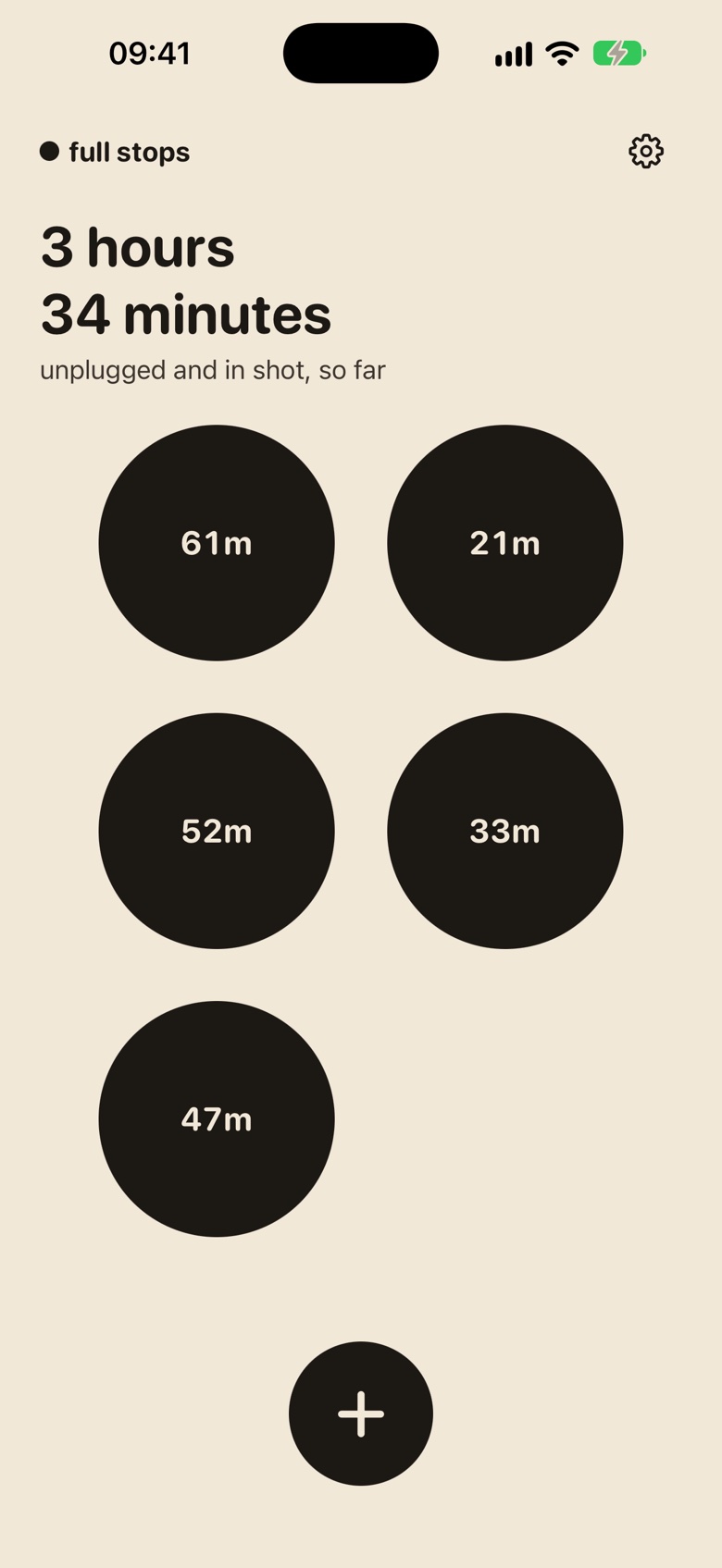
Home shows a full stop for each session, with its minutes, and your total time unplugged and in shot. There are no streaks, no scores and no reminders to come back.
Books, if you’re reading
On iPhones with Apple Intelligence, Full Stops can recognise the cover of a book you read during a session, on your iPhone, and suggest it. A book goes on your clip only if you say yes, and looking a title up on Open Library is something you agree to first. You can turn book suggestions off in Settings.
Unplug together
Start a session with friends wherever they are, using SharePlay. Everyone taps Start when they’re ready, the chimes ring together, and when one of you finishes, the session ends for everyone.
Private by default
There’s no account. Your sessions, clips and total stay on your iPhone unless you share them.
For iPhone with iOS 27 or later. Full Stops is in development and not yet on the App Store.
Help and privacy
Read Full Stops support and the privacy policy, or email the developer.